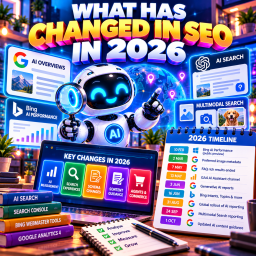
How to Optimise for AI Search: A Practical Checklist
A practical website checklist for small businesses | Reviewed 16 October 2026
To optimise for AI search, start with the pages your customers need: make them accessible, accurate and useful, then check whether people can take the next step. Use reporting to assess visibility, visits and business results separately.
AI search optimisation cannot guarantee a recommendation, citation or sale. This guide gives you a manageable way to improve an existing website, without adding another publishing schedule or buying a tool before you know the problem.

What you are optimising for
People can discover a business through Google AI Overviews, the conversational AI Mode experience, or an assistant using web search. Those experiences have different interfaces, sources and controls. An answer in one is not evidence of how every other system treats your site.
Start by choosing a useful outcome: more suitable quote requests, completed bookings or product sales. Then select a service, category or product page that should help deliver it. A citation that sends unsuitable enquiries is less useful than a clear page that helps the right customer decide.
For the broader strategy and terminology, read our generative engine optimisation guide. Use this page when you are ready to work through the website itself.
Generative engine optimisation explained
1. Choose a small set of important pages
Do not begin by rewriting the whole archive. Choose one important customer journey and list the pages involved. A local service business might start with its main service page, price information, service area and quote form. A shop could choose one category and its bestselling products.
Record the current URL, its purpose, the person responsible for it and the most important problem to fix. Check the page before deciding that falling visits mean the writing is poor. Tracking faults, changing demand and access problems can also affect performance.
| Customer task | Page to inspect | Useful question |
| Choose a service | Main service page | Does this explain who the service suits and what is included? |
| Check suitability | Prices and service area | Can someone judge cost, location and important limits? |
| Take action | Quote, booking or checkout | Can someone complete the task on a phone? |
How to refresh old content without creating more work
2. Check access before changing the copy
Open each chosen page while signed out. Check that it loads, shows the important information and has working links. A browser check is useful, but does not establish that a crawler can access the page.
For Google, use Search Console URL Inspection to investigate indexing and test the live URL. Check accidental noindex settings, robots.txt restrictions, broken responses and security challenges. If Cloudflare or a security plugin is involved, ask your host or developer to inspect blocked requests before changing a rule.
Google documents that a page must be indexed and eligible for a search snippet to qualify as a supporting link in its AI search features. Eligibility does not guarantee selection. Google’s guidance also covers whether the site is included in generative AI features in Search Console.
Google’s guidance on optimising for generative AI features
Keep search access and training choices separate
OpenAI uses OAI-SearchBot for ChatGPT search and GPTBot for content that may be used in model training. Its documentation describes those settings as independent: an owner can allow the search crawler while disallowing the training crawler. ChatGPT-User handles certain user-triggered visits and is not the search indexing control.
Check the relevant provider’s documentation rather than assuming every bot works the same way. Do not disable security across the whole site. Save the original setting, change only the rule causing the verified problem, then retest access and normal customer use. Restore the setting if the change causes trouble.
OpenAI’s crawler documentation
WordPress can serve a virtual robots.txt file, so an accessible /robots.txt address does not necessarily correspond to a physical file in your host’s file manager. Check the served file and the plugin or hosting controls that generate it before creating another version.
Use the wider SEO audit checklist for access and indexing checks
3. Make the business facts easy to verify
Create a short approved record of the facts customers need: business name, contact details, services, locations, hours, pricing conditions and booking arrangements. Use it to check the website and the relevant listings you control.
Correct important contradictions. If your contact page says Saturday opening but your booking page says weekdays only, establish the real position and update both. If you no longer offer a service, remove the promise from navigation, old articles and enquiry forms where it appears.
For local businesses, review the Google Business Profile alongside the site. For a shop, check product pages against the feed: price, stock, variants, delivery and returns should describe the same offer. These checks help customers make decisions even when an AI answer is incomplete.
Local SEO and your Google Business Profile
Ecommerce SEO and accurate product information
4. Answer the questions behind a buying decision
Use real enquiries, sales conversations and support requests to identify what is missing. Ask the person who delivers the service which misunderstandings cause wasted calls or disappointed customers. Those details are often more useful than a list of generated prompts.
For each important page, check whether a reader can establish what is offered, who it suits, what it costs or how to get a price, what is excluded and what happens next. Put related answers together where they help that decision.
Some questions deserve a supporting page: a detailed comparison, a complex process or a genuinely different service. Others need a paragraph on the existing page. Avoid creating a separate article for every wording of the same question.
For example, “Do you collect bikes?” and “Can someone pick up my bicycle?” usually belong in the same explanation. A guide comparing a repair with replacement may serve a different task and justify a separate page.
Content planning for customer questions and AI search
Add evidence from the business
Use information you can stand behind: a real process, a photograph of the work, a documented test, an accurately described case study or a specialist’s explanation. State the relevant conditions and get permission before using identifiable customer stories.
Do not invent experience, statistics, qualifications or testimonials. Explain who wrote or reviewed advice when that helps readers assess it, and describe their actual role. Adding a name or an author box is not a substitute for checking the work.
If AI helps produce a draft, review every factual claim, source, example and description of the business. Review titles and meta descriptions too. Google warns that generating many pages without adding value can breach its scaled content abuse policy; using an AI tool does not remove editorial responsibility.
Google’s guidance on using generative AI content
How to use AI to write helpful SEO content
5. Make the page easy to read and use
Use a descriptive title, headings that match the subject, ordinary paragraphs and lists or tables where they clarify a comparison. Link to related pages using wording that tells the reader what they will find. Keep important information visible on the page.
There is no compulsory paragraph length, chunk size or AI word count. A simple service question may need a short answer; a technical comparison may need more explanation. Let the task determine the depth.
Use clear original images when they help someone understand a product or service. Provide appropriate alternative text and nearby explanation. A photo of the actual item, its dimensions and its available variants can be more useful than another generic illustration.
Test the next step on a phone: check button labels, form fields, validation, confirmation messages and contact links. An enquiry form should make clear whether someone is requesting a quote or making a confirmed booking. Usable controls also provide a sensible starting point for emerging agent interactions.
Use structured data for its supported purpose
Structured data describes information in a machine-readable form. Relevant markup can make a page eligible for supported Google search features, subject to the feature’s requirements. Markup must accurately represent the visible content, and eligibility does not guarantee a rich result.
Check what your WordPress theme or SEO plugin already generates before adding another plugin. Use Google’s Rich Results Test for Google-supported features and Schema Markup Validator for the broader vocabulary. They answer different questions.
Keep FAQs that answer genuine customer questions. Do not promise expandable Google FAQ results or guaranteed AI citations from FAQ or HowTo markup. A schema type can remain part of the vocabulary even when Google does not offer that search feature.
Google’s introduction to structured data
6. Correct useful external information
Look first at external pages customers actually use: a relevant directory, trade association, partner page or review platform. Correct outdated details through the appropriate listing or editorial process. Ask for genuine reviews without supplying fabricated praise.
Earn coverage by contributing something useful: an informed explanation, a local partnership, original research with a clear method or an approved customer story. Choose an opportunity for its relevance and business value. Being mentioned on a famous platform is not, by itself, a reason to spend time there.
A backlink is a clickable link, a mention is a reference to the business, and an AI citation is a source reference within an answer. One does not guarantee the others. Paid coverage should not be described as an independent earned endorsement.
Digital PR for small businesses in the age of AI search
7. Measure exposure, visits and results separately
Take a baseline before making substantial changes. Use consistent properties, date ranges and page filters. Keep a short change log so you can investigate later; a change followed by growth does not prove that it caused the growth.
| Question | Where to look | Important limit |
| Are links appearing in Google AI search? | Search Console Generative AI Search report | AI impressions are included in overall Search figures. Do not add them again. |
| Are pages cited in supported Microsoft AI experiences? | Bing Webmaster Tools AI Performance | Citations are references, not visits, rankings or sales. |
| Are recognised assistants sending visits? | GA4 AI Assistant channel | Google AI Overviews and AI Mode visits belong in Organic Search. |
| Is the attention useful? | Tested enquiry or purchase tracking and business records | Check real enquiries, lead quality and completed sales. |
Some reports may have no available data for a property. Record unavailable values separately from zero. Referrer gaps and measurement settings mean recorded assistant sessions do not represent everyone influenced by AI.
Do not divide GA4 assistant visits by Bing citations to invent a click-through rate: their coverage differs. Equally, a traffic drop alone cannot tell you that AI Overviews caused it.
Google’s Generative AI reporting announcement
Microsoft’s AI Performance introduction
GA4 default channel definitions
How to track AI search visibility with free tools
How to measure SEO success when search uses AI
Check the accuracy of sampled answers
Separately, try a small set of real customer questions on the platforms relevant to your audience. Record the exact question, date, language, location and sign-in or personalisation conditions. Save the answer and source links so you can investigate incorrect services, locations or terms.
Correct the relevant owned page or external listing, then check again under recorded conditions. Treat the results as samples. Answers can vary, and a corrected answer on one occasion is not proof of a permanent fix or a universal AI ranking.
A worked example for a small service business
This is a fictional example, not a client result. A bicycle repair workshop wants more suitable collection enquiries. Its website says “repairs across the city”, but it only collects from two districts. The booking form asks customers to select a slot without saying that the workshop must confirm it.
The owner chooses the repairs page, collection information and booking form as the first project. They confirm the real service area, explain what a standard service includes and list repairs that need an individual assessment. They add a genuine workshop photograph and a clear route to request collection.
The form now says “Request a collection” and explains the confirmation process. The owner checks the Business Profile and relevant directory, tests the form on a phone and verifies that a successful enquiry is recorded once.
Over the following complete reporting periods, they review the chosen pages’ visibility and visits alongside suitable collection enquiries. If unsuitable locations still dominate, they inspect the wording and sources again. They do not declare success merely because one assistant mentioned the workshop.
A manageable order for the work
Use the following as a suggested sequence, not a promise that every site can be fixed in a month. Access faults or complex feeds may need specialist help first.
| Priority | Task | What to retain |
| First | Inspect key pages and confirm access. | Baseline, URLs and a record of any access fix. |
| Next | Correct facts and fill the most important information gaps. | Approved facts and substantive change notes. |
| Then | Test forms, links, images, listings and relevant markup. | Test results and named owners for unresolved issues. |
| Review | Compare complete periods and inspect sampled AI answers. | Separate exposure, visit and outcome measures; choose the next action. |
What to leave out of the plan
You do not need a mandatory presence on Reddit, Wikipedia, Medium or any other fixed list of platforms. Do not publish there merely in the hope of entering future model training. Training inclusion is not a reliable route to current search discovery.
An llms.txt file is an optional proposal for curated information, not a permission system or a citation guarantee. Google says it does not use the file for Search. Consider it only for a specific use case after the important site work is in hand.
You also do not need to turn every answer into a separate page or buy a universal “AI visibility score”. Improve a useful customer journey, verify the facts and use clearly labelled evidence to decide what comes next.
Sources and further reading
Sources reviewed on 16 October 2026. Check provider documentation before making technical changes.
Google — Optimising for generative AI features
OpenAI — Crawler documentation
Google — Using generative AI content
Google — Understanding structured data
Google — Generative AI performance reports
Microsoft — AI Performance public preview
The future of SEO isn’t about beating the algorithm—it’s about being the best answer. – David Roche