Content Refresh Guide for a Manageable Website Archive
Updated: 12 October 2026.
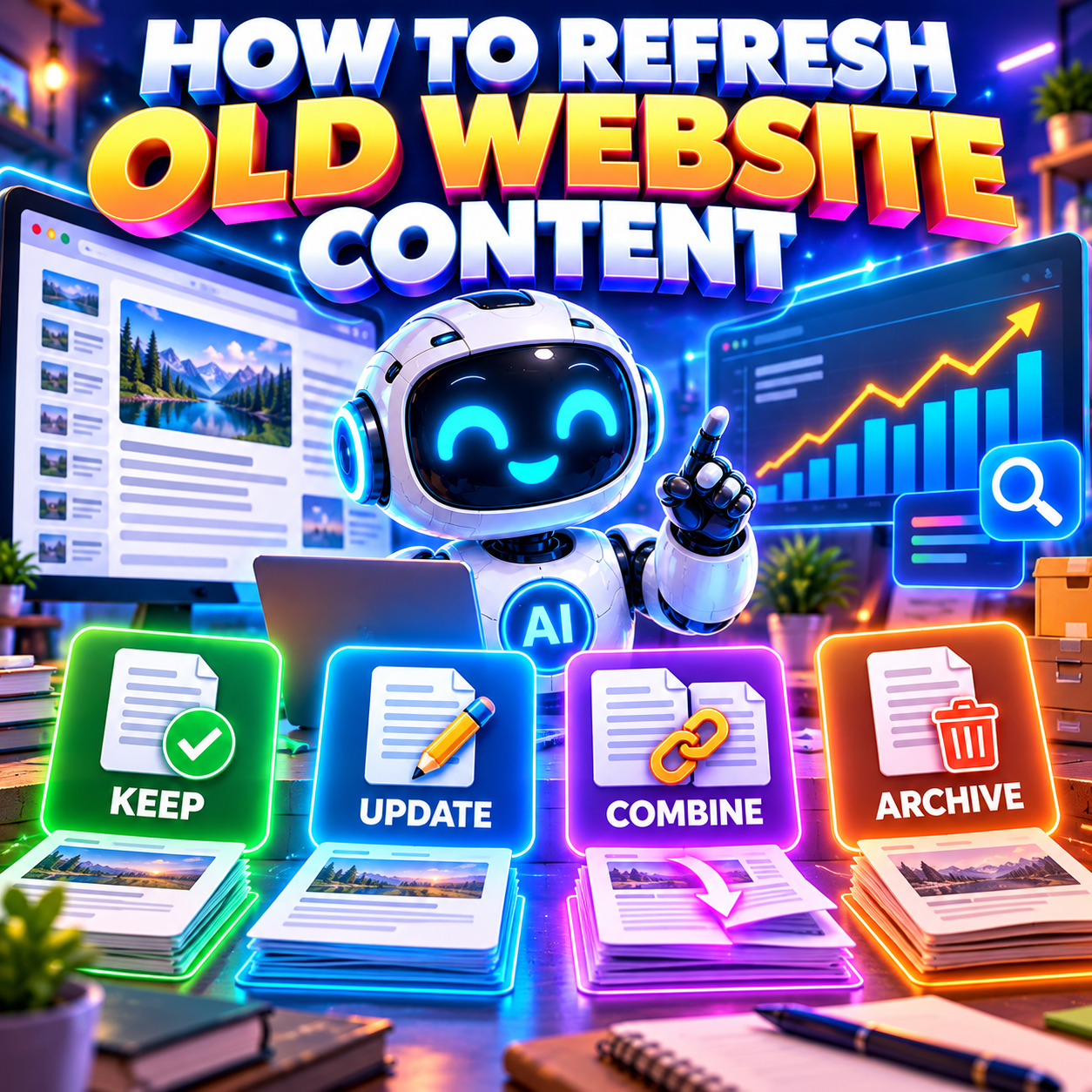
A content refresh should make an existing page more useful, accurate or easier to follow. For a hobby website with a large archive, the manageable approach is to choose a small batch and decide what to keep, update, combine or archive.
Start with misleading advice and important reader tasks. Use impressions and visits to help find pages worth inspecting, then read the page before deciding what it needs. A newer date, a longer article or a fresh set of keywords is not evidence of an improvement.
Choose a small starting point
You do not need to rewrite the whole archive or finish a detailed audit before correcting an obvious error. Start with pages people still use, guides that matter to your site’s purpose and any advice you already know is out of date.
Make a simple working list with the URL, reader task, suspected problem and proposed action. Add an owner and a review date. The list can grow as you work; it does not need to contain every post on day one.
For a hobby site, think about what a reader comes to do: follow a tutorial, choose an item, understand a technique or revisit an event. These purposes are different. A historical event report should not be judged by the same freshness expectations as current instructions.
Choose one manageable piece of work at a time. If a page needs new testing or substantial research, record that and schedule it separately. Do not let one broken link turn into an unplanned rewrite of the entire topic.
Prioritise the pages where a correction matters
- Misleading or incorrect advice, even if the page gets few visits.
- Important reader tasks that are difficult to complete because instructions, links or examples no longer work.
- Established guides where your own experience can replace vague or outdated information.
- Pages with a persistent performance change that needs investigation.
- Overlapping pages that make readers unsure which answer to use.
Age alone is a weak reason to change something. An older explanation may still be accurate, while a recent post may already contain a mistake. Give priority to the reader’s problem rather than to the oldest publication date.
Use impressions and visits as diagnostic signals
Search Console impressions describe appearances in Google Search results; clicks describe interactions leading to your site. Use page and query views to see which topics changed. Website analytics records a different part of the journey: activity on the site through its available measurement.
Google’s Search Console Performance report definitions
Compare consistent periods and filters, and look at longer trends. For seasonal topics, include a suitable comparison with the same part of the previous year where data exists. Avoid making a large editorial decision from a few days or a handful of visits.
Google’s traffic-drop guidance describes several possible causes, including technical issues, changes in demand, security problems, ranking changes and data anomalies. A decline does not by itself prove that the page is outdated. Small fluctuations may not call for radical changes.
S12 Google’s guide to diagnosing Search traffic drops
If impressions and clicks decline, check which queries and pages are affected and whether people still need the topic. If exposure remains but clicks fall, inspect the title, description and search context. If recorded visits fall across the site, check measurement and technical changes too.
These are investigation prompts, not diagnoses. Read the affected page and test its main task. Low traffic alone does not justify deleting a useful resource, and strong traffic does not excuse misleading advice.
Related guide to investigating a traffic drop
Inspect the page as a reader would
Open the public page on a phone as well as a desktop. Read it from the beginning and follow the main instructions or links. Ask whether someone arriving directly can understand the purpose and complete the task.
Check factual claims against current primary sources where appropriate. Confirm product references, screenshots, dates and instructions. Keep the useful examples that still work; replace an example when it is wrong, unclear or no longer representative.
Look for information that is missing rather than merely old. A tutorial might need one explanation of a confusing step. A comparison might need clearer criteria. A guide might already answer the question well and need only a corrected link.
Check the title, introductory promise and metadata against the final content. Review author details and any claims of experience. Do not leave a misleading summary in place after correcting the body.
Choose keep update combine or archive
| Action | When it fits | What to do |
| Keep | The page is accurate, useful and still serves a distinct purpose. | Record the check and next review trigger. Leave the working answer intact. |
| Update | The purpose remains useful but facts, instructions, examples or links need improvement. | Correct the page under its existing URL and record the substantive changes. |
| Combine | Two or more pages substantially answer the same reader task. | Preserve useful material in the best-fitting destination and plan appropriate redirects and link updates. |
| Archive | The page is no longer current guidance, but it may have historical or reference value. | Decide whether to retain it clearly as historical material or retire it with an appropriate URL response. |
Keep an answer that still works
Keeping is an active decision. Record that you checked the important facts and links. Set a sensible trigger for the next review, such as a product change, a broken instruction or a reader reporting a problem.
You do not need to add paragraphs or change the headline just to demonstrate activity. Google’s helpful-content guidance cautions against changing dates without substantive changes and against adding or removing content simply to make the site appear fresh.
Google’s guidance on useful content and superficial freshness
Update the smallest amount that solves the problem
Write down the intended improvement before editing. For example: “Replace the discontinued download link and retest the steps” is a clearer task than “Refresh this old tutorial”.
Keep the accurate sections and useful reader comments where appropriate. Rewrite more extensively when the page’s main answer or structure no longer works, but retain the existing URL when it still represents the same subject.
Add original experience where it helps someone understand or act. A tested screenshot, a practical example or an explanation of a common mistake can be more valuable than another general introduction.
Combine pages that serve the same task
Compare the actual purpose and useful material, not just the keywords. Two pages mentioning the same subject can deserve separate places if one helps people choose and the other helps them use it.
When the purpose overlaps substantially, choose the destination that best fits the reader’s need. Consider the existing content, established links, search activity and URL meaning. Do not assume that the newest page must win.
- Save copies of the pages before making changes.
- Build the combined answer and preserve genuinely useful examples or context.
- Use a permanent redirect from an old URL only where the new page is a relevant replacement.
- Update internal links to the final destination and review sitemap entries.
- Test the old URL and the destination, including images and important downloads.
Avoid redirecting every old post to the homepage or an unrelated category. A redirect should take the reader to the replacement they reasonably expected. Record the old and new URLs so the decision can be reviewed later.
Archive historical material without disguising its age
A report about a past exhibition, a dated opinion or an old software walkthrough may remain useful as history. Keep it clearly labelled, retain the original context and link to current guidance when a suitable page exists.
Archiving can mean moving material out of current recommendation lists while retaining it in a historical section. It does not automatically mean deleting the page or excluding it from search. Decide based on its continuing usefulness.
If a page is withdrawn entirely and there is no relevant replacement, arrange an appropriate not-found or gone response, such as 404 or 410. Keep a backup if the material matters to your records. A public page should not pretend that removed content is still available.
Google’s guidance on redirects and HTTP status codes
Neither archiving nor deleting is a guaranteed SEO improvement. Do not remove pages merely because a report shows no recent clicks. Check reader value, external links, downloads and historical context before retiring them.
A manageable example for a hobby website
This example is fictional. A photography enthusiast has several hundred posts and chooses five pages for a first review. The aim is to improve useful resources without starting a large publishing project.
A guide to planning a personal photography project is still clear and accurate. The owner checks its links, records Keep and leaves the original article intact.
An older editing tutorial contains instructions for an interface that has changed. The owner retests the process, replaces the affected screenshots and corrects the steps under the existing URL. They record Update, including which steps changed.
Two short posts explain almost the same way to organise a photo collection. The owner compares their useful material, builds one complete answer at the most suitable URL and redirects the redundant page to it. They update links from related tutorials and record Combine.
A report about a 2022 photo walk remains interesting as an event record. The owner labels it as a past event, removes any suggestion that bookings remain open and keeps it in the historical archive. They record Archive rather than republishing it as a current event.
The next batch is chosen after those tasks are finished. Five pages is only an illustration, not a quota. One carefully corrected page is a reasonable maintenance session.
Record substantive changes and reconnect related articles
Keep a short change log so you can see what improved and why. Record the URL, problem, action, actual work completed, source or testing evidence, completion date and next check. Mark unfinished tasks separately.
An entry saying “Updated” is too vague. “Retested the import steps, replaced two obsolete screenshots and corrected the download link” explains the change. Keep the source URL or test notes with that entry.
The following sample continues the fictional photography site. Use actual URLs and dates in your own log.
| Page or task | Decision | Work recorded | Next check |
| Project-planning guide | Keep | Facts and links checked; no substantive edit needed. | Review if reader questions reveal a gap. |
| Editing tutorial | Update | Changed steps retested and screenshots replaced. | Check after a relevant software update. |
| Photo-collection posts | Combine | Useful sections retained, old URL redirected and links updated. | Verify the final route after publication. |
| 2022 event report | Archive | Past-event context made clear; booking references removed. | Check if archive links or event context change. |
Add links where they help the reader continue. The refreshed tutorial might point to the preparation guide, while that guide can link back to the tested instructions. Use text that describes the destination and check that it is the correct version.
Inspect links pointing into combined or retired pages as well as links inside the edited page. Updating the article alone does not fix an old sidebar or resource list that still recommends obsolete material.
Content planning and useful links between related pages
Use AI to support the review without multiplying the work
An AI tool can help organise an inventory, compare drafts or suggest questions to check. Give it a defined task, such as listing claims that need verification or identifying repeated sections. A suggested edit still needs editorial judgement.
Google’s guidance on generative AI content emphasises manual review for accuracy and trustworthiness, including metadata, structured data and image alternative text. Generating many pages without useful added value may breach its scaled-content policies.
S10 Google’s guidance on using generative AI content
Check each proposed fact, example, source and author claim yourself. AI can repeat an old error in cleaner language or invent a replacement statistic. Do not automatically rewrite an entire archive, publish unverified recommendations or fabricate first-hand experience.
Keep a copy of the original and review the finished page before publication. Reject edits that add length without helping the reader. Automation is most useful when it reduces routine work while leaving the final decisions with you.
How to use AI to write helpful SEO content
Make dates and publication checks honest
If the page has substantially changed, describe that update accurately. Retain the original publication context where it helps readers and use a clearly labelled updated date. If you only checked an unchanged article, a separate Reviewed note can describe the check without implying a rewrite.
Where the site outputs publication and modification dates in structured data, ensure the equivalent dates agree with the visible information and describe the actual page. Do not replace the publication date with the date of an event mentioned in the article.
Google’s guidance on publication and update dates
A new date alone does not improve an answer. Avoid adding the current year to an evergreen headline unless that year is necessary to describe the content accurately.
Before publishing, check the public preview, sources, links, screenshots, metadata and mobile layout. Review existing markup against the features Google currently supports. Do not add schema simply because an old guide promised FAQ or HowTo enhancements.
Schema markup explained for website owners
Check the result without promising recovery
Test the page immediately after publication so you can catch broken links, layout problems or incorrect redirects. Then review search and site activity after a suitable observation period, using consistent definitions and noting what changed.
For a small site, low volumes may need a longer observation period. Consider seasonal demand and other changes before interpreting a rise or fall. A before-and-after comparison is useful context, not proof that the edit caused every difference.
Judge the reader-facing result too. Can someone now complete the instructions? Is the misleading advice corrected? Are fewer people asking the same clarification question? Those improvements matter even before you can see a clear search trend.
You can use Search Console’s URL Inspection tools where appropriate, but requesting indexing does not guarantee a particular result or a fixed recovery timetable. Do not keep rewriting an accurate page just because its traffic did not rise immediately.
A repeatable maintenance routine
- Keep a small queue of reader problems, outdated claims and pages needing investigation.
- Choose a task that fits the time available and record the intended improvement.
- Read and test the page before selecting keep, update, combine or archive.
- Check the sources, examples, metadata and related links.
- Publish only the finished work, record the substantive changes and test the result.
- Schedule the next check around likely changes and the page’s importance.
Frequently asked questions
Should I refresh every old post
No. Keep useful, accurate answers and historical records with clear context. Prioritise reader problems rather than updating every page because of its age.
Does falling traffic mean the content is outdated
No. Check demand, technical access, measurement and the affected queries, then inspect the page. A traffic decline is a reason to investigate, not a complete diagnosis.
Should I change the URL when updating
Usually keep it when the page still serves the same purpose. Combining pages or changing their purpose may require a considered redirect plan. Do not change URLs merely to add a newer year.
Will updating the date improve rankings
A date does not correct the information. Use accurate dates to explain publication and substantive changes, and make the actual answer better where needed.
How often should I review the archive
Use the importance of the task and the likelihood of change. Current instructions need attention when the underlying process changes; historical material can remain useful with its original context. A small regular review is easier to sustain than an annual attempt to rewrite everything.